Google Cloud Functions Made Simple
Introduction In today’s fast-paced digital environment, businesses demand scalable, cost-efficient, and low-maintenance infrastructure solutions. Serverless computing has emerged as a transformative model, allowing developers to build and deploy applications without managing servers. One of the leading offerings in this space is Google Cloud Functions, a fully managed serverless execution environment provided by Google Cloud. Google Cloud Functions enables developers to write small, single-purpose functions that respond to events without provisioning or managing servers. With automatic scaling, pay-per-use pricing, and seamless integration with other Google Cloud services, it has become a popular choice for building modern cloud-native applications. What Are Google Cloud Functions? Google Cloud Functions is an event-driven serverless compute platform that allows you to execute code in response to specific triggers. Instead of deploying a full application or managing virtual machines, developers write discrete functions that perform a particular task. These functions are executed in response to events such as: The platform abstracts infrastructure management, allowing teams to focus solely on writing business logic. Core Features 1. Fully Managed Infrastructure Google Cloud Functions removes the complexity of managing servers, operating systems, and runtime environments. Google handles provisioning, patching, scaling, and monitoring. Developers only need to upload their code and define triggers. 2. Automatic Scaling Cloud Functions automatically scale up or down depending on incoming traffic. If your function receives thousands of requests per second, Google Cloud provisions additional instances automatically. When traffic decreases, resources scale down to zero, helping minimize costs. 3. Event-Driven Execution One of the most powerful features is its event-driven architecture. Functions execute only when triggered by an event, making it ideal for microservices and reactive systems. 4. Pay-Per-Use Pricing With Cloud Functions, you pay only for the compute time consumed during execution. Billing is based on: This cost model is particularly beneficial for applications with unpredictable or low traffic. 5. Multiple Language Support Google Cloud Functions supports several programming languages, including: This flexibility allows teams to work in languages they are already comfortable with. Architecture At its core, Google Cloud Functions operates on an event-driven model: 1. Trigger EventCloud Functions follows an event-driven architecture where execution begins when a specific event occurs. This could include an HTTP request, file upload to Cloud Storage, database update, or message publication. 2. Function InvocationOnce the event is detected, Google Cloud automatically invokes the corresponding function. The triggering mechanism connects the event source to the function, ensuring real-time, automatic execution without manual intervention or scheduling. 3. Execution EnvironmentGoogle provisions a secure, isolated runtime environment for each function execution. This managed container includes the selected programming language runtime and necessary dependencies, abstracting infrastructure management from developers. 4. ExecutionThe function runs its defined logic, processing input data provided by the event. It can perform computations, interact with databases, call external APIs, or trigger additional cloud services as needed. 5. Response or OutputAfter processing, the function returns a response for HTTP triggers or stores output in connected services. Results may be written to databases, sent as messages, or used to initiate downstream workflows. Below are five common event sources for Google Cloud Functions in Google Cloud: Common Use Cases 1. API Backends Cloud Functions can serve as lightweight RESTful APIs. HTTP-triggered functions handle requests without the need for a full web server. 2. Real-Time File Processing When a file is uploaded to Cloud Storage, a function can automatically: 3. Data Processing Pipelines By subscribing to Pub/Sub topics, functions can process streaming data in real time, enabling analytics workflows and event-driven pipelines. 4. Authentication Hooks Functions can respond to user authentication events, sending welcome emails or logging user activity. 5. Scheduled Tasks Using Cloud Scheduler, developers can trigger functions at predefined intervals for tasks such as database cleanup or reporting. Development and Deployment Workflow Building and operating applications with Google Cloud Functions follows a streamlined, developer-friendly workflow designed for speed and scalability. Instead of managing servers or infrastructure, teams focus purely on writing business logic while Google handles provisioning and scaling behind the scenes. From initial development to continuous improvement, the lifecycle of a cloud function involves several structured steps that ensure reliable deployment, observability, and ongoing optimization. The following workflow outlines the key stages involved in developing, deploying, monitoring, and updating your Cloud Functions efficiently. Developers often use Infrastructure as Code tools such as Terraform to manage function deployments in production environments Cloud Functions vs Cloud Run Google Cloud Functions is a fully managed, event-driven serverless platform designed for executing small, single-purpose functions. It automatically scales based on incoming events such as HTTP requests, Pub/Sub messages, or Cloud Storage changes. Developers focus only on writing code, while infrastructure provisioning and scaling are handled by Google. It is ideal for lightweight tasks, background processing, and microservices that respond to specific triggers. With a simple deployment model and pay-per-use pricing, Cloud Functions works best for applications that do not require full control over the runtime environment or complex container configurations. Google Cloud Run is a fully managed platform for running containerized applications in a serverless environment. Unlike Cloud Functions, it allows developers to deploy any container image, giving full control over dependencies, runtime, and application architecture. Cloud Run supports higher concurrency and is well-suited for APIs, web applications, and complex microservices. It scales automatically and can handle long-running processes, making it more flexible than Cloud Functions for applications requiring customization or advanced configuration. Feature Cloud Functions Cloud Run Deployment Model Function-based Container-based Complexity Simple More flexible Use Case Small, event-driven tasks Full applications or microservices Runtime Control Limited Full container control Cloud Functions is ideal for lightweight tasks, while Cloud Run is better suited for containerized applications with more complex requirements. Advantages Rapid DevelopmentDevelopers can build and deploy functions quickly without provisioning or configuring servers. This accelerates development cycles, enables faster experimentation, and allows teams to focus entirely on writing business logic rather than infrastructure management. Reduced Operational OverheadWith Cloud Functions, there is no need to manage servers, operating systems, clusters, or patching schedules. Google automatically handles scaling, maintenance, and updates, significantly reducing … Read more
Google Cloud Run: Serverless Containers

Cloud Run is a fully managed serverless platform that allows developers to run containerized applications without managing servers or infrastructure. Part of the broader Google Cloud ecosystem, Cloud Run combines the flexibility of containers with the simplicity of serverless computing. It is designed for teams that want to focus on building applications rather than provisioning, scaling, or maintaining compute resources. With Cloud Run, developers package their application into a container, deploy it, and let the platform handle everything else—from scaling to availability. At its core, Cloud Run is built around stateless HTTP-driven workloads. Each service responds to incoming requests and can scale automatically from zero instances to thousands, depending on demand. This makes it particularly attractive for APIs, microservices, web backends, and event-driven workloads. Unlike traditional platform-as-a-service offerings, Cloud Run does not constrain developers to a fixed runtime or framework. If it can run in a container, it can run on Cloud Run. How Cloud Run Works Cloud Run operates on a simple yet powerful model. Developers build a container image that listens for HTTP requests on a specified port. This image is stored in a container registry and deployed as a Cloud Run service. Once deployed, Cloud Run handles incoming traffic by routing requests to container instances, scaling the number of instances up or down automatically. One of Cloud Run’s defining characteristics is scale-to-zero. When no requests are being processed, Cloud Run can reduce the number of running instances to zero, meaning there is no cost for idle resources. When traffic returns, new instances are started automatically. This behavior makes Cloud Run especially cost-effective for applications with intermittent or unpredictable traffic patterns. Cloud Run also enforces statelessness. Each request should be independent, and any persistent data must be stored externally using managed services such as databases or object storage. This design aligns well with modern cloud-native application architectures. Client requests originate from browsers, mobile apps, or other services. These requests are sent over HTTPS and first reach Google’s managed HTTPS Load Balancer, which provides secure entry, automatic TLS termination, and global traffic routing. The user does not configure or manage this layer and it is fully handled by the platform. The load balancer forwards requests to Cloud Run Services. A Cloud Run service represents a deployed container application along with its configuration, such as concurrency, memory, and scaling rules. Cloud Run determines how many container instances are required based on incoming traffic. Each request is then processed by one of the container instances. These instances are created on demand and can scale up or down automatically. When traffic increases, Cloud Run starts more instances; when traffic drops to zero, all instances can shut down. Multiple requests can be handled by a single instance depending on concurrency settings. The container images used by these instances are pulled from the Container Registry. This registry stores the application’s container image that developers build and deploy. Cloud Run fetches the image automatically when new instances are started. Since Cloud Run enforces stateless execution, containers interact with external services for persistence. Application data is stored outside the container lifecycle, ensuring scalability and reliability. Key Features and Capabilities Cloud Run offers a rich set of features that make it suitable for both small projects and large-scale production systems. Cloud Run supports any language or framework as long as the application is packaged as a container. This removes runtime restrictions and allows teams to use existing tools, libraries, and custom system dependencies. Applications scale automatically and instantly, from zero to thousands of instances, based purely on incoming requests, ensuring both performance during traffic spikes and zero cost during idle periods. A major feature of Cloud Run is pay-per-use pricing. You are billed only for the CPU, memory, and execution time consumed while requests are being handled, making it highly cost-efficient for unpredictable or spiky workloads. Cloud Run also supports high request concurrency, allowing a single container instance to handle multiple requests simultaneously, which further optimizes cost. Security is built in by default. Services run over HTTPS, integrate with IAM for authentication and authorization, and can be made private without exposing public endpoints. Cloud Run also offers traffic splitting and revision management, enabling safe rollouts, canary deployments, and quick rollbacks. Development Flexibility with Containers Event-Driven and Asynchronous Workloads Pricing and Cost Efficiency Use Cases and Ideal Scenarios Cloud Run Limitations & Considerations Despite its strengths, Cloud Run is not a universal solution. Its stateless design means it is not suitable for applications that require persistent local storage or long-lived in-memory state. Cold starts, while generally fast, can still introduce latency for infrequently used services. Applications with strict real-time requirements may need careful tuning or alternative approaches. Additionally, while Cloud Run abstracts away infrastructure, it does not eliminate the need for good system design. Observability, error handling, and security practices remain essential. Developers must still think in terms of distributed systems and failure modes. Cloud Run vs GKE Cloud Run is an automated, fully managed service for running containers where almost all operational responsibility is handled by the platform. You provide a container image, and Cloud Run takes care of provisioning servers, scaling instances up and down, routing traffic, securing endpoints, and even scaling to zero when the service is idle. Developers do not manage clusters, nodes, or orchestration concepts. The platform enforces a stateless, request-driven execution model, which makes Cloud Run ideal for APIs, web services, and event-driven workloads. In short, Cloud Run abstracts infrastructure completely so teams can focus only on application code. Cloud Run is a serverless Platform as a Service (PaaS). You never see or manage virtual machines, clusters, or operating systems. You only deploy containers and define a few runtime settings. All infrastructure decisions such as VMs, scaling, load balancing, are completely hidden and automated. From the user’s perspective, Cloud Run operates at the application level, not the infrastructure level. Google Kubernetes Engine (GKE), on the other hand, gives you a managed Kubernetes environment but still requires significant hands-on work. While Google … Read more

Anthos: Hybrid and Multi-Cloud Platform

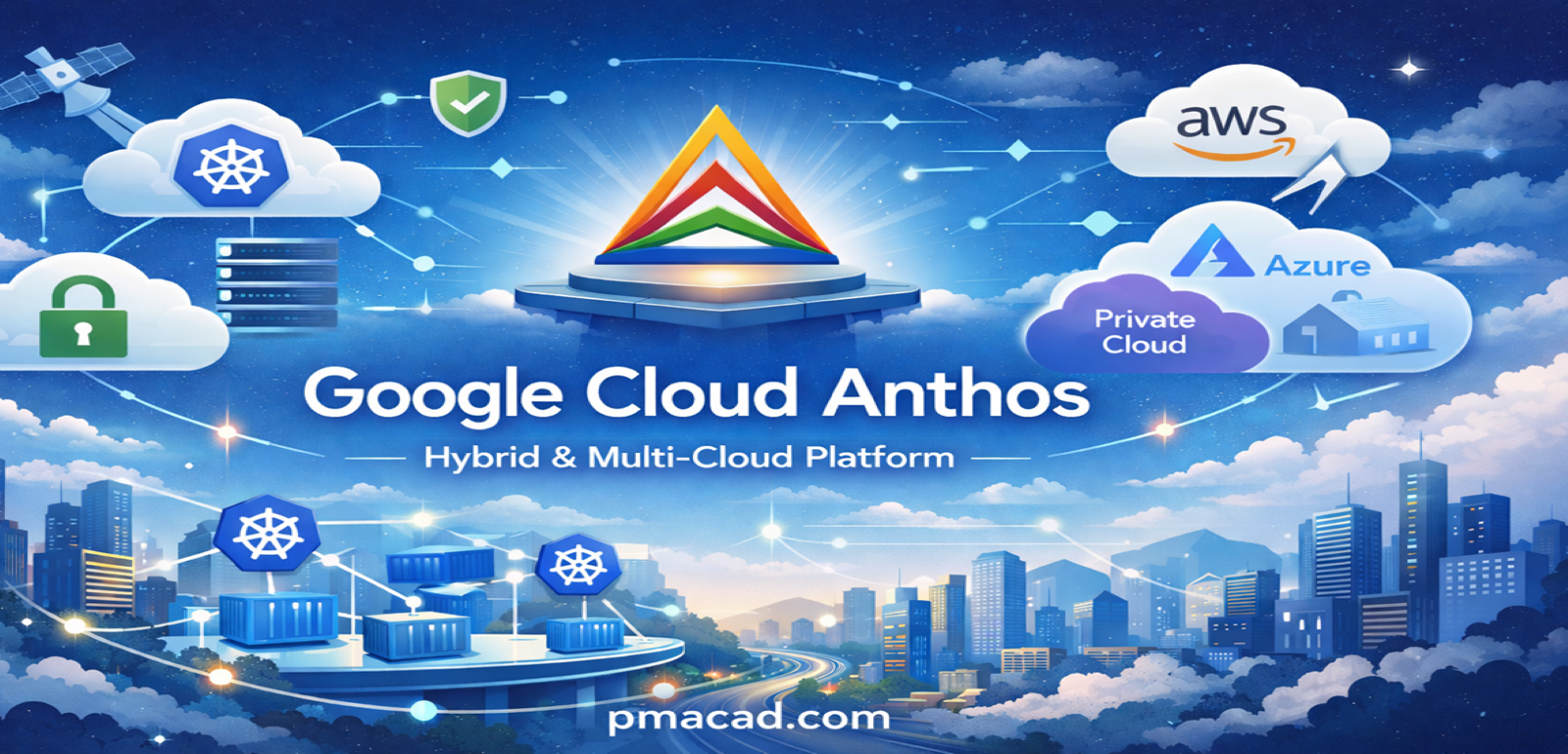
1. Introduction to Google Cloud Anthos Google Cloud Anthos is a modern application management platform designed to help organizations build, deploy, and manage applications consistently across on-premises environments, Google Cloud, and other public clouds such as AWS and Azure. Anthos was introduced to address one of the biggest challenges in enterprise IT: operating applications across heterogeneous environments without fragmentation. Traditional cloud migration often leads to vendor lock-in, inconsistent security policies, and operational complexity. Anthos solves this by providing a single control plane for infrastructure, applications, and services. At its core, Anthos is built on Kubernetes, enabling containerized workloads to run anywhere with uniform governance, security, and observability. 2. Why Anthos Was Created Enterprise Challenges Before Anthos Anthos Objectives Anthos allows enterprises to modernize at their own pace without rewriting applications or abandoning existing infrastructure. 3. Core Architecture of Anthos Anthos is not a single product, but a platform composed of multiple integrated services. High-Level Architecture Components Anthos provides a control plane in Google Cloud that manages workloads running across different environments. 4. Anthos Kubernetes Foundation Kubernetes as the Backbone Kubernetes serves as the foundational backbone of Google Cloud Anthos, providing a consistent, open, and portable platform for running containerized applications across environments. Anthos is built on upstream Kubernetes, ensuring full compatibility with open-source standards and preventing vendor lock-in. By standardizing on Kubernetes, Anthos enables applications to run seamlessly on Google Cloud, on-premises data centers, and other public clouds using the same APIs, tools, and operational models. Kubernetes handles container orchestration tasks such as scheduling, scaling, self-healing, and service discovery. This uniform Kubernetes layer allows Anthos to deliver consistent deployment, security, and management experiences across hybrid and multi-cloud infrastructures. Anthos is built on upstream Kubernetes, ensuring: Key Kubernetes Offerings in Anthos a. Google Kubernetes Engine (GKE) Google Kubernetes Engine (GKE) is a fully managed Kubernetes service that runs on Google Cloud and forms the core runtime environment for Anthos. It handles critical operational tasks such as cluster provisioning, automated upgrades, patch management, and node scaling. GKE integrates deeply with Google Cloud security services, identity management, logging, and monitoring. By abstracting infrastructure complexity, GKE allows teams to focus on application development while benefiting from high availability, reliability, and performance at scale. b. Anthos Clusters on VMware Anthos Clusters on VMware enables organizations to run Kubernetes directly on their existing VMware-based on-premises infrastructure. This offering is ideal for enterprises with large data centers that want to modernize applications without migrating immediately to the cloud. It supports running containerized workloads using the same Kubernetes APIs and tools as in Google Cloud. Applications do not need to be refactored, allowing a smooth transition to cloud-native architectures while preserving existing investments. c. Anthos on Bare Metal Anthos on Bare Metal allows Kubernetes clusters to run directly on physical servers without a hypervisor. This approach reduces virtualization overhead and delivers improved performance, making it suitable for latency-sensitive and high-throughput workloads. It is commonly used in edge environments, telecom networks, and manufacturing facilities where real-time processing is required. Anthos on Bare Metal provides centralized management, security, and policy enforcement while supporting specialized hardware and disconnected or constrained environments. d. Anthos on Other Clouds Anthos on other clouds extends Anthos capabilities to Kubernetes clusters running on public cloud platforms such as AWS and Azure. It enables organizations to manage multi-cloud environments using a single control plane hosted in Google Cloud. This offering ensures consistent configuration, security policies, and observability across clouds. By supporting Kubernetes clusters outside Google Cloud, Anthos helps enterprises avoid vendor lock-in, improve resilience, and implement true multi-cloud application strategies 5. Anthos Config Management Anthos Config Management (ACM) provides policy-driven governance using a GitOps approach. Anthos Config Management is a governance and configuration service that enables organizations to manage Kubernetes configurations and policies consistently across multiple clusters and environments. It follows a GitOps-based model, where configuration files stored in a Git repository act as the single source of truth. Anthos Config Management automatically applies, enforces, and monitors these configurations across all registered clusters. It helps detect configuration drift, prevent policy violations, and ensure compliance with organizational standards. By using declarative configuration and automated enforcement, Anthos Config Management improves security, simplifies audits, and reduces operational errors in hybrid and multi-cloud Kubernetes deployments. Key Capabilities of ACM Declarative Configuration Management Declarative configuration management defines the desired state of infrastructure and applications rather than specifying step-by-step instructions. Systems continuously compare the actual state with the declared state and automatically make corrections, ensuring consistency, repeatability, and reduced manual intervention across environments. Centralized Policy Enforcement Centralized policy enforcement ensures that security, compliance, and operational policies are applied uniformly across all clusters and environments. Policies are defined once and enforced everywhere, preventing misconfigurations, reducing security risks, and simplifying governance in hybrid and multi-cloud deployments. Drift Detection and Remediation Drift detection identifies differences between the desired configuration stored in source control and the actual running configuration. When drift occurs due to manual changes or failures, automated remediation restores the system to the approved state, maintaining reliability and compliance. Git as the Single Source of Truth Using Git as the single source of truth means all configurations, policies, and infrastructure definitions are stored and versioned in Git repositories. This enables traceability, change history, collaboration, easy rollback, and automated auditing across distributed environments. Components of ACM Benefits of ACM 6. Anthos Service Mesh Anthos Service Mesh (ASM) is based on Istio, providing advanced networking for microservices. Anthos Service Mesh is a fully managed service mesh built on the open-source Istio project that provides secure, observable, and reliable communication between microservices. It abstracts service-to-service networking into a dedicated infrastructure layer without requiring changes to application code. Anthos Service Mesh enables features such as mutual TLS for encrypted communication, intelligent traffic management, load balancing, retries, and fault injection. It also delivers deep observability through metrics, logs, and traces, helping teams understand service behavior. By standardizing networking and security across hybrid and multi-cloud environments, Anthos Service Mesh simplifies microservices operations and improves application reliability and security. What is … Read more

Google Cloud Storage Services

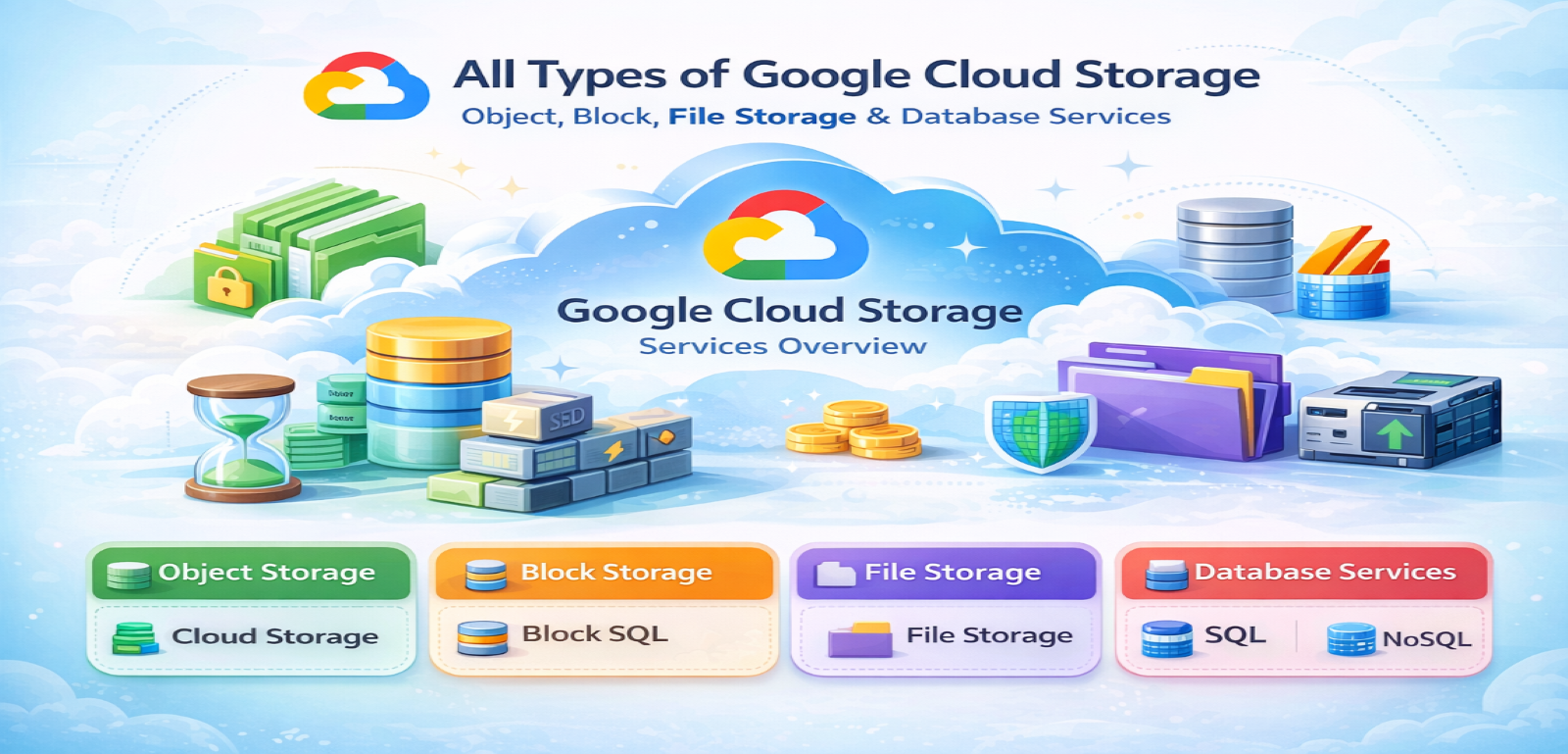
Introduction to Google Cloud Storage Google Cloud offers a wide range of storage solutions designed to meet diverse enterprise, startup, research, and individual developer needs. These storage solutions are built for scalability, durability, security, and global accessibility. At the core of Google Cloud’s infrastructure is: Google Cloud categories This article presents detailed notes on each type. I. OBJECT STORAGE Object storage is used for storing unstructured data such as images, videos, backups, logs, and big data files. Object storage is a storage method where data is stored as objects, not files or blocks. Each object contains the data itself, metadata, and a unique identifier. It is called object storage because data is managed as independent objects rather than being organized in a directory hierarchy. This makes it highly scalable and ideal for unstructured data. Object storage is designed for durability and cost efficiency rather than ultra-low latency.Examples include storing images, videos, backups, logs, datasets, and static website content. Cloud Storage buckets are a common example of object storage. 1. Google Cloud Storage (GCS) Google Cloud Storage is a fully managed object storage service for storing any amount of data. Key Features Storage Classes in Google Cloud Storage Google Cloud Storage is further classified into storage classes based on access frequency: A. Standard Storage Best for: Frequently accessed data Characteristics: Use Cases: B. Nearline Storage Best for: Data accessed less than once per month Characteristics: Use Cases: C. Coldline Storage Best for: Data accessed less than once per quarter Characteristics: Use Cases: D. Archive Storage Best for: Long-term archival Characteristics: Use Cases: GCS Location Types Security in GCS II. BLOCK STORAGE Block storage is used for structured data and high-performance workloads like databases and VM disks. Block storage is a type of data storage where information is broken into fixed-size chunks called blocks and stored as separate units, each with its own unique address. It is called block storage because data is not stored as files or objects, but as raw blocks that a system can read and write directly. This design makes block storage extremely fast and reliable, especially for performance-critical workloads. Block storage is commonly used with virtual machines and databases, where low latency and high IOPS are essential.Examples include VM disks, database volumes, and enterprise storage systems used for transactional applications. 1. Persistent Disk Persistent Disk provides durable block storage for virtual machines in Google Compute Engine. Types of Persistent Disk A. Standard Persistent Disk (HDD) Use Cases: B. Balanced Persistent Disk (SSD) Use Cases: C. SSD Persistent Disk Use Cases: D. Extreme Persistent Disk Use Cases: Persistent Disk Features 2. Local SSD Local SSD provides high IOPS and low latency storage physically attached to VM. Characteristics: Use Cases: 3. Hyperdisk Hyperdisk is next-generation block storage offering higher performance flexibility. Types: Benefits: III. FILE STORAGE File storage provides shared file systems accessible by multiple clients. File storage stores data in a hierarchical structure using files and folders, similar to a traditional file system on a computer. It is called file storage because data is accessed using file paths and filenames. Multiple users or systems can access the same files simultaneously. File storage is commonly used when applications expect shared access to files.Examples include shared media folders, content management systems, home directories, and application file shares. Network File System (NFS)–based storage services are typical examples of file storage. 1. Filestore Filestore is a fully managed NFS file storage service. Filestore is a managed file storage service that provides shared file systems for cloud-based applications. It is called Filestore because it stores data in the form of files and directories, similar to a traditional file server, and allows multiple virtual machines to access the same data simultaneously using standard file system protocols. Filestore is commonly used when applications require shared, low-latency file access.Use cases include content management systems, media rendering, shared application data, and enterprise workloads.Examples include shared web content folders, home directories, and application file shares accessed via NFS. NFS stands for Network File System. It is a file-sharing protocol that allows a computer to access files stored on another system over a network as if they were stored locally. It is called network file system because the files physically reside on a remote server but appear as part of the local file system to users and applications. NFS enables multiple systems to read and write to the same files simultaneously.Use cases include shared storage for applications, user home directories, media processing, and enterprise file sharing.Examples include shared folders accessed by multiple servers, cloud file storage services, and centralized application data storage. Key Features: Service Tiers: A. Basic Tier B. High Scale SSD C. Enterprise Tier Use Cases: IV. ARCHIVE & BACKUP SOLUTIONS 1. Backup and DR Service Backup and DR Service provides centralized backup management. Backup and disaster recovery storage is used to protect data against loss, corruption, or system failure. It stores copies of data so systems can be restored in case of accidental deletion, cyberattacks, or disasters. It is called backup storage because its primary purpose is recovery, not active use. This storage is usually policy-based and automated.Examples include VM backups, database backups, application-consistent snapshots, and cross-region recovery copies used during disaster recovery scenarios. Features: 2. Snapshot Storage Snapshot storage stores point-in-time copies of disks or file systems. It is called a snapshot because it captures the exact state of data at a specific moment. Snapshots are usually incremental, meaning only changed data is stored, making them efficient and fast. Snapshots are widely used for backups, cloning environments, and quick rollback operations.Examples include VM disk snapshots before updates, database volume snapshots, and test environment cloning using production data. Snapshots are incremental backups of: Stored in Cloud Storage backend. 3. Archive via Cloud Storage Archive Storage class (already covered) serves as deep archive solution. Archive storage is a low-cost storage type designed for long-term data retention that is rarely accessed. It is called archive storage because it is mainly used to store historical, compliance, or regulatory … Read more